
How Measure The Lawn works
Learn to measure outdoor spaces on a satellite map, read your results and save your work for next time.
Find the property
Search a US address or use your current location. Zoom in until you can follow the edge of the space you want to measure.
Draw and finish
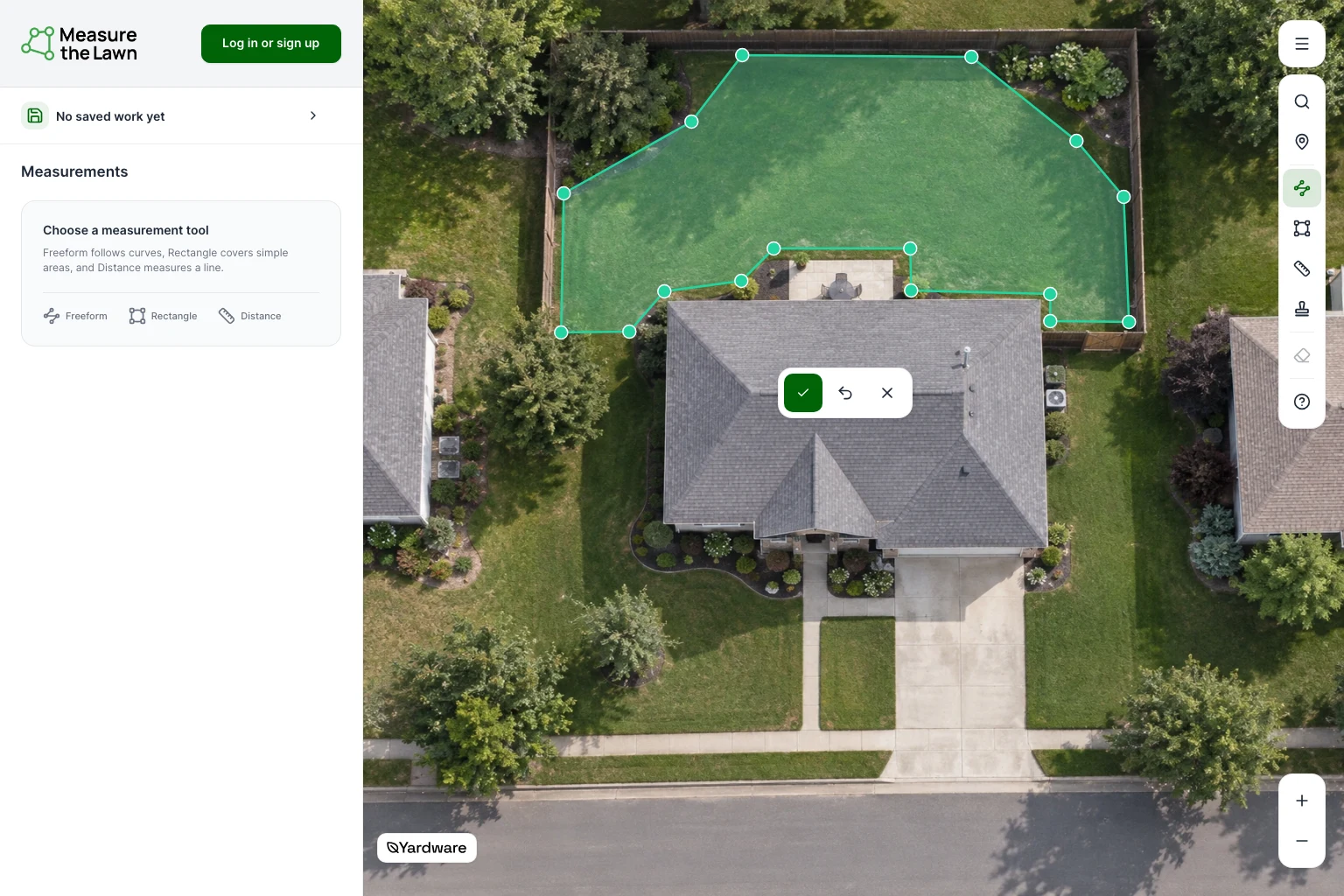
Choose a tool, then click or tap on the map. Draw separate, non-overlapping areas around buildings, paths and beds so you don’t count the same space twice.
Freeform
For irregular areas, click or tap around the edge in order. Use at least three points, adding more to follow curves. Choose the Finish drawing checkmark to close the area.
Rectangle
For rectangular areas, click or tap two opposite corners. The measurement finishes automatically.
Distance
Click or tap two points to measure a straight line, such as a border or wall run. Distance returns length only; it never enters an area total.
Undo last change
Remove the last point you placed and try again.
Cancel drawing
Discard the unfinished drawing. Your completed measurements stay on the map.
Review your results
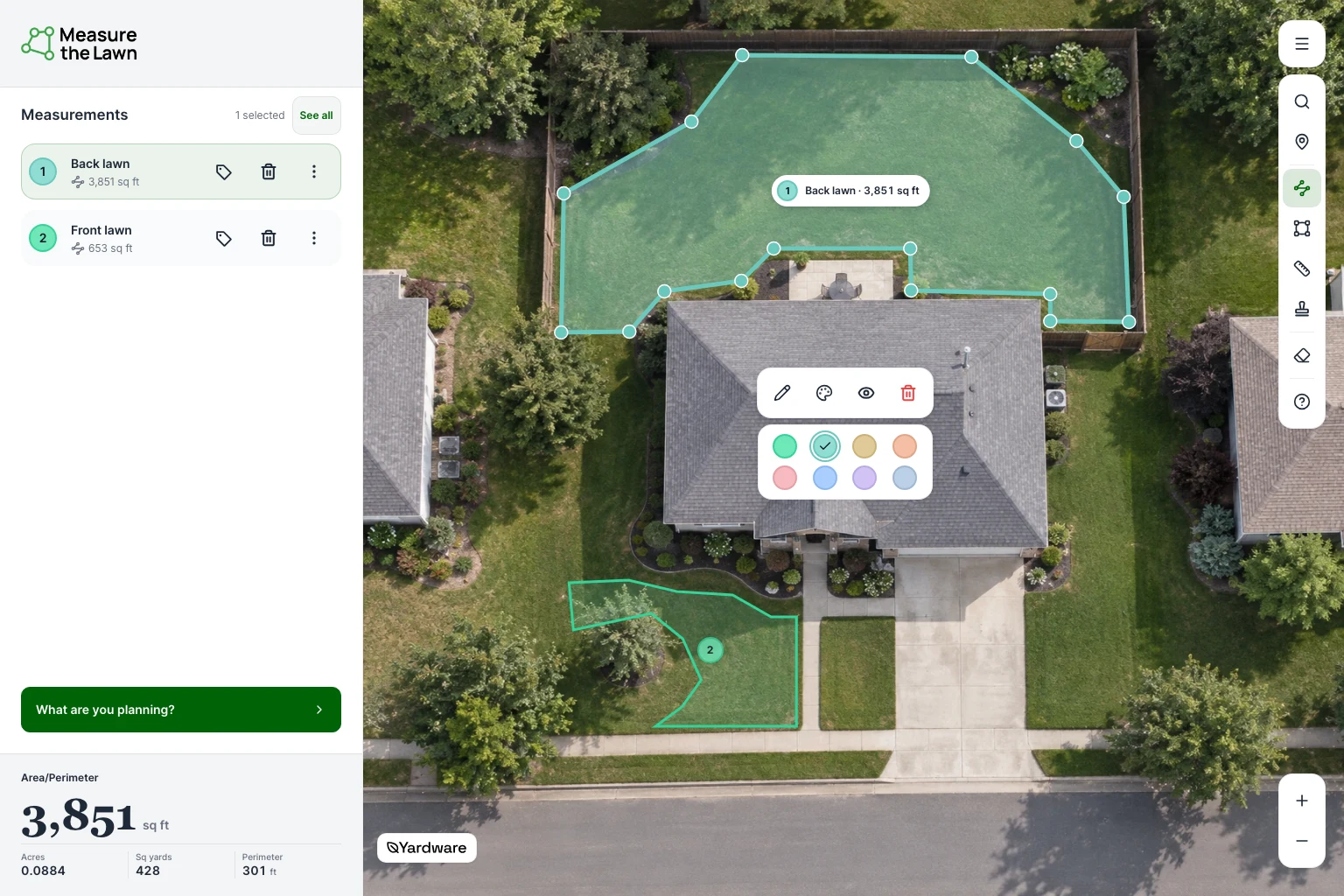
Open Measurements to see area, perimeter or distance. On phones and tablets, the panel opens from the bottom of the map. Select one measurement for its results, or choose See all for combined totals. Hidden measurements are left out.
Measured area
4,504sq ft
384 ft perimeter
Adjust and organize measurements
You can change a measurement without drawing it again.
Edit measurement points
Select a measurement, then drag a corner to move it. To add a point, choose Edit measurement points and drag a smaller handle between corners. Finish with the checkmark.
Rename
In Measurements, choose Rename beside an area. Enter a name such as Front lawn or Back lawn.
Color measurement
Select an area on the map, then choose Color measurement. Keep its name so you can identify it without color.
More actions
Open More actions beside a measurement, then choose Hide from results to leave it on the map but out of totals. Include in results counts it again. Hiding never subtracts an area from another measurement.
Delete a measurement
Choose Delete beside its name in Measurements to remove just that measurement. Use this instead of clearing the whole map.
While editing, Undo reverses your last change. Cancel restores the measurement from before editing.
Mark useful details
Use Marks to remember gates, trees, sprinklers or other features around the property. Marks are reference points; they don’t change area, distance or material quantities.
Add Marks
When available, choose Add Marks, pick a feature and click or tap its location. Choose Done when you’ve finished placing Marks.
Update a Mark
Select a Mark on the map to move, rename or delete it.
Turn measurements into a material plan
Choose What are you planning? on the map to estimate materials for Overseeding, New lawn seed, Sod, Mulch or Concrete. These Plans use area measurements, not distance.
- Included measurements
- Choose only the areas receiving this material. A lawn, planting bed and patio need different measurements. These choices are separate from hiding measurements in map results.
- Material settings
- Match the rate, depth, bag size or coverage to your product or supplier.
- Also plan for
- Find supporting supplies where available. Optional supplies stay optional.
During the map tour, choosing a Plan continues the walkthrough. To revisit it later, open Map help from the menu.
Save and pick up where you left off
- Save
- Where account saving is available, choose Save and follow the login, location and naming prompts. Wait for Saved. Logging in alone doesn’t save your measurements, Marks or plan settings.
- Reopen
- Log in with the same account and open your saved work from the account menu.
- After editing
- Changes to saved work autosave. Wait for Saved; follow the displayed recovery action if saving is interrupted.
- Browser recovery
- Recovering work in this browser is not a confirmed account save.
Start over
Start over clears the current map after confirmation. Check your saved-work status first; unsaved work may be lost.
Get help on the map
The map’s question mark opens the measurement-tour invitation. For written instructions while working, open the menu and choose Map help.